

Reviewed · MILLENNIUM PARK TOURS
Chicago Millennium Park Self-Guided Walking Tour
Millennium Park is best when you can linger. This self-guided audio walk turns the park’s biggest sights into a simple, easy route you can run on your schedule. I especially like the hands-free, location-based playback and the way you can pause for photos, snacks, or just standing and staring at the skyline reflections.
Two things I really value for travelers: first, you get audio that moves with you as you walk, so you are not stuck waiting for a guide or a group. Second, the purchase includes lifetime access with no expiry, so you can reuse it on future Chicago trips without buying again. The one consideration is tech related: if your phone interrupts audio while you switch apps, you may need to restart using the tour controls.
If you want a low-stress way to see the essentials, this works well. You start at the Millennium Park Welcome Center, load the app and password, then follow the story points around the core of the park at a pace that makes sense for you.
In This Review
- Key points to know before you go
- Value for $14.99: what you are really buying
- Entering Millennium Park: how setup works at the Welcome Center
- Timing your walk: 20 to 30 minutes of essentials, 1 to 2 hours in real life
- Stop-by-stop: what you will see in Millennium Park
- Jay Pritzker Pavilion (Pritzker Pavilion / Pritzker Music Pavilion)
- Lurie Garden
- Nichols Bridgeway
- Crown Fountain
- Cloud Gate, the centerpiece photo stop
- Hands-free audio: what makes it feel easier than a phone checklist
- How to use the route like a local, not like a robot
- Who this Millennium Park audio tour suits best
- Price and logistics, the honest tradeoffs
- Should you book this Millennium Park self-guided walking tour?
- FAQ
- How long is the Millennium Park self-guided walking tour?
- Where does the tour start?
- How do I start the tour on-site?
- Does the tour work offline?
- Do I need tickets or reservations for the attractions?
- Is this a guided group tour?
- What attractions are covered?
- Can I reuse the tour on another trip?
- What is the cancellation window?
Key points to know before you go
- Offline maps and offline audio support so the walk still works when your signal is weak
- Hands-free playback by GPS location, so you can focus on walking and looking
- Lifetime access with no expiry, usable on any trip, anytime
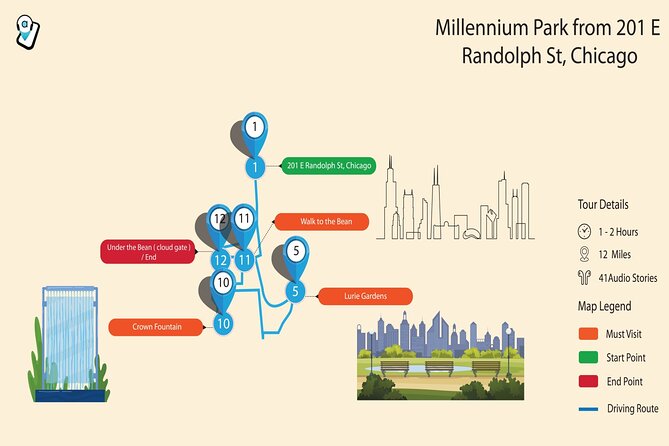
- A tight loop of essentials (about 1 mile, roughly 20 to 30 minutes for the core) with flexibility to stretch to 1 to 2 hours
- Free admission at the listed sights, so you are paying for interpretation, not entry tickets
- Bring headphones for the best experience, since you will be listening on your phone
The Bean deserves more than a photo stop
Value for $14.99: what you are really buying
At $14.99 per person, this is not a bargain-chasing sightseeing deal. You are paying for convenience and clarity, not a stack of included tickets. The value makes sense because the tour is designed to be practical: you get a comprehensive route and stops for Millennium Park’s highlights, plus audio that is ready to play based on where you are.
The biggest value lever is lifetime access with no expiry. That matters if you might return to Chicago. A one-time guided tour is gone once the day is over. This gives you a reusable way to revisit Millennium Park, redo the walk on a different trip, or even use parts of it when you want something short and focused.
Also, the route is built for modern travel rhythm. You can start anytime, pause anywhere, and jump back in. That means you can match the tour to what your feet are doing and what the weather is doing, instead of the other way around.
Entering Millennium Park: how setup works at the Welcome Center
Your start point is the Millennium Park Welcome Center at 201 E Randolph St. No guide meets you there, and that is part of the appeal. You arrive, get your phone ready, then the tour begins when you enter the first story point.
Here is the practical part to plan for. After booking, you get an email and a text with setup instructions and a password. You will download Action’s Tour Guide App and enter the password sent to you. The instructions also say you must download the tour while you have strong Wi-Fi or cellular, then it works offline after that download.
Device guidance is also specific. You will get the best results with an iPhone on iOS 15 or later, Android on version 9 or later, or an iPad or tablet with GPS and cellular connectivity for recommended navigation. If your phone is old, low on battery, or constantly switching networks, you might have a rougher time.
One more smart tip: bring headphones or earbuds. This is a listening-first walk. Doing it without audio defeats the core design.
Timing your walk: 20 to 30 minutes of essentials, 1 to 2 hours in real life
The tour is described as a 1-mile-long route covering the essentials, with the essentials loop around 20 to 30 minutes. But the listing also describes the overall experience as 1 to 2 hours. That difference is where the self-guided style pays off.
If you are a quick walker and just want the key stops, you can likely move through the park efficiently. If you stop to read on your phone, take photos, watch people around the interactive features, or grab food nearby, you can stretch it without feeling rushed.
A review response in the provided feedback also matches this style: the tour is meant for breaks. You can pause and resume rather than treating it like a strict checklist. That is perfect for Millennium Park because the best moments often happen when you slow down, not when you sprint from one landmark to the next.
Stop-by-stop: what you will see in Millennium Park
This is a highlights-focused route. Expect it to move you from major gathering spots to the photo magnets and the interactive public art.
Jay Pritzker Pavilion (Pritzker Pavilion / Pritzker Music Pavilion)
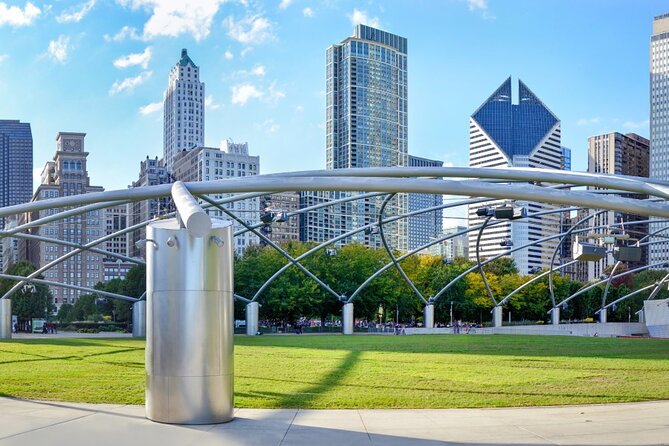
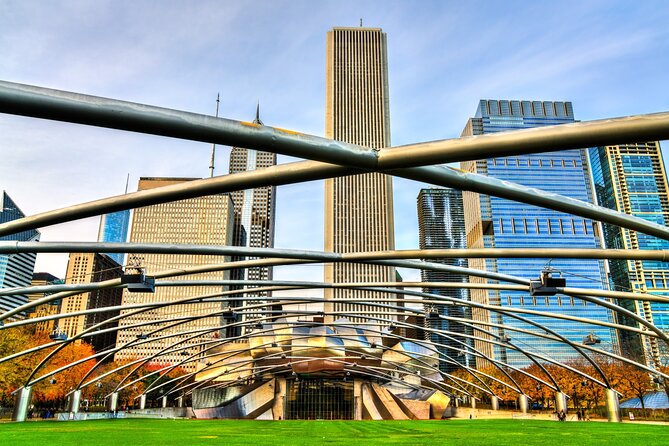
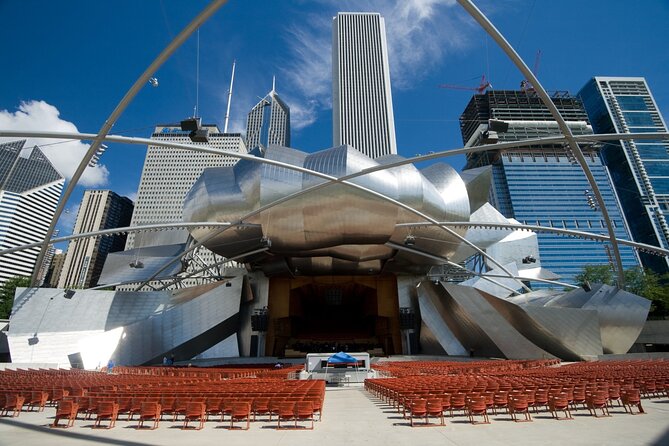
You will start or early-route at Jay Pritzker Pavilion, the bandshell inside Millennium Park. It is on the south side of Randolph Street and east of the Chicago Landmark Historic Michigan Boulevard District. Even if you are not there for a specific performance, this spot acts like an anchor. It helps you get your bearings fast in the Loop area.
In audio terms, this is a good first stop because it gives you context right as you enter the park’s core.
Potential drawback: if you are arriving during busy times, it can feel crowded. That is not a tour problem, just a Millennium Park reality.
Explore Chicago on your own clock
- Medieval Torture Museum Ticket with Audio Guide and Ghost Hunting★ 5.0 · 962 reviews
- Eastside Chicago The Heist Exploration Game and Tour★ 4.0 · 10 reviews
- Chicago Self-Guided Audio Tour★ 4.0 · 9 reviews
- Chicago’s Gold Coast Hidden History: A Self-Guided Audio Walk★ 4.5 · 7 reviews
- Chicago Riverwalk Self-Guided Walking Tour★ 4.0 · 6 reviews
Lurie Garden
Next on the route is Lurie Garden, a 2.5-acre garden at the southern end of Millennium Park. The garden design is credited to GGN, Piet Oudolf, and Robert Israel, and it opened on July 16, 2004. You will learn what makes it a mix of perennials, bulbs, grasses, shrubs, and trees.
This stop is ideal if you like the softer side of Millennium Park. The main plaza photos can be all hard edges and reflections, but a garden gives you a break for your eyes.
Practical note: gardens are also where you naturally slow down, and that helps you hit the tour pacing sweet spot.
Nichols Bridgeway
You will also cross paths at Nichols Bridgeway, a pedestrian bridge that begins at the Great Lawn and crosses over Monroe Street. It connects to the third floor of the West Pavilion of the Modern Wing, the Art Institute of Chicago’s newest wing.
This is one of those spots that rewards walking, not just looking. The route nudges you to experience the bridge as a connector between park areas and nearby cultural buildings.
Potential consideration: if you are visiting with limited mobility, any bridge crossing may take more effort. The tour itself is a walking route, so it is best when you are comfortable with that pace.
Crown Fountain
Then comes Crown Fountain, an interactive public art piece with video sculpture elements featured in Millennium Park. It opened in July 2004 and was designed by Catalan artist Jaume Plensa, with execution by Krueck and Sexton Architects.
Interactive art adds energy because you are not just observing. You are watching the visuals, reacting to the moment, and often taking photos.
Practical drawback: interactive features can draw crowds, so if you are hoping for quiet, plan on waiting a bit or aiming for a calmer time of day.
Cloud Gate, the centerpiece photo stop
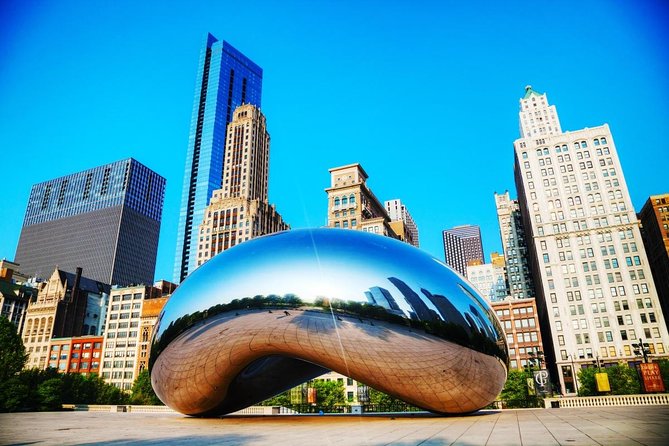
Finally, the route includes Cloud Gate, also known as The Bean in the tour highlights. This is a public sculpture by Indian-born British artist Sir Anish Kapoor. It is the centerpiece of AT&T Plaza at Millennium Park and sits on top of Park Grill, between the Chase Promenade and McCormick Tribune Plaza and Ice Rink.
This is the stop almost everyone recognizes, and that is exactly why the audio approach helps. The tour is built to give you context while you are already in the right spot for those iconic angles.
Practical note: Cloud Gate is a magnet. The lines can be normal for a famous sculpture, so your best strategy is to arrive ready to pause and reposition for photos rather than expecting a quick shot.
Hands-free audio: what makes it feel easier than a phone checklist

The tour experience is designed around audio stories that play automatically based on your location. That matters because Millennium Park is a maze only in the way that any big public space can be. Instead of repeatedly checking your map, you follow the audio cues.
You also get offline maps. That is a big relief in a city center where reception can be inconsistent. The tour is described as working perfectly offline once downloaded, so you are not forced to keep your data on or chase bars.
You can also learn more about stories you enjoy. The tour description mentions extra stories, so if a particular sight grabs you, you can stay with the theme a little longer before moving on.
One small heads-up from the provided feedback: when someone toggled out of the tour to use another phone function like taking a photo, the audio paused and they needed to restart. That does not mean the tour is unreliable. It just means your phone behavior can interrupt playback.
My advice: keep the audio session in the foreground when possible, or accept that you may need a quick restart.
How to use the route like a local, not like a robot
This is self-guided, so the quality comes from how you use the freedom. A few strategies make it smoother.
- If you want a fast highlights sweep, treat it like a loop of photo stops plus short listening moments.
- If you want a calmer pace, pause more often at the garden and art stops, where it makes sense to linger.
- If you get bored with a story topic, skip it. The tour is built for you to move at your pace and skip what you do not care about.
- If you want to take a break, use the pause function and then resume, instead of starting over from scratch.
One more practical point: the tour is described as private, meaning only your group participates. That keeps it feeling flexible, with no awkward wait for other people.
Who this Millennium Park audio tour suits best

This is a great fit if you like your sightseeing structured but not rigid. It is also ideal if you prefer independence. The audio format means you can stop for photos, snacks, and side looking without negotiating with a group.
It is especially good for:
- Couples who want to walk together and keep the pace comfortable
- Visitors who want the essentials fast, then explore the park on their own
- Anyone who hates being rushed by a schedule
One clever savings tip included with the experience: couples can share one tour by splitting headphones. That can cut your per-person cost.
If you are traveling with kids, this kind of audio walk can work well because you control pauses. The only caution is that younger kids may need more frequent stops, which can push the time beyond the essentials loop.
Price and logistics, the honest tradeoffs
The price is $14.99 per person. For that money, you are buying:
- A planned route through Millennium Park highlights
- Audio interpretation tied to your location
- Offline support after an initial download
- Lifetime access so the content can come with you back on future trips
You are not buying entry tickets or attraction passes, because the route is built around public features where tickets are not required.
The main logistics tradeoffs are the phone and battery realities. You need:
- A phone that supports GPS and the recommended OS versions
- Headphones for the full effect
- Strong Wi-Fi or cellular to download the tour while you are able
If you show up with a dead battery or skip the download step, you lose the offline advantage.
Should you book this Millennium Park self-guided walking tour?
Book it if you want Millennium Park highlights with audio guidance and you like walking on your own schedule. The lifetime access is a strong reason to choose it, especially if Chicago is on your repeat list. At the same time, the core route is short enough that it can slot into a busy day, with easy extension to 1 to 2 hours if you slow down.
Skip it only if you prefer a live guide you can ask questions to, or if you know your phone tends to struggle with GPS or consistently interrupts apps. This tour is designed to work, but it depends on your phone staying in the audio flow.
FAQ
How long is the Millennium Park self-guided walking tour?
The essentials route is about 20 to 30 minutes for a 1-mile walk, and the experience is listed as about 1 to 2 hours depending on pace and breaks.
Where does the tour start?
It starts at the Millennium Park Welcome Center, 201 E Randolph St, Chicago, IL 60601, USA.
How do I start the tour on-site?
After you arrive, open Action’s separate audio tour guide app and enter the password you received by email and text. Then start the correct tour version based on your planned starting point and direction.
Does the tour work offline?
Yes. Offline maps are included, and after you download the tour on strong Wi-Fi or cellular, it works without cellular or Wi-Fi.
Do I need tickets or reservations for the attractions?
No. The tour does not include attraction passes, entry tickets, or reservations, and the key stops listed are free.
Is this a guided group tour?
No. It is self-guided, and nobody meets you at the start. Your audio begins automatically when you enter the first story point.
What attractions are covered?
The tour includes Jay Pritzker Pavilion, Lurie Garden, Nichols Bridgeway, Crown Fountain, and Cloud Gate, plus it also references The Bean and the Chicago skyline.
Can I reuse the tour on another trip?
Yes. You get new, lifetime access with no expiry, and you can use it anytime on any trip as many times as you want.
What is the cancellation window?
You can cancel for a full refund if you cancel up to 24 hours in advance of the experience start time. If you cancel less than 24 hours before, the amount paid is not refunded.
If you want, tell me when you are visiting (morning, afternoon, or evening), and I can suggest the best way to time this walk with the park’s busiest areas in mind.
More Walking Tours in Chicago
- Chicago: Gangsters and Ghosts Walking Tour
★ 5.0 · 7,155 reviews - Chicago Favorites Ultimate Food and Walking Tour
★ 5.0 · 1,962 reviews - Chicago: Gangsters and Ghosts Guided Walking Tour
★ 4.7 · 1,697 reviews - Chicago in a Day: Food, History & Architecture Walking Tour
★ 5.0 · 1,153 reviews
Just Added






Millennium Park Tours, compared.

Downtown Loop & Millennium Park 2 Hour Walking Tour
Read our review →
Chicago, Cloud Gate, Grant Park Full-Day City Tour
Read our review →
Chicago Food Tour with The Magnificent Mile and Millennium Park
Read our review →
Chicago Foods Tour with The Loop, Skyline, Millennium Park
Read our review →Browse the lists this tour appears in